JavaScript Output
When you write JavaScript, you'll want to see the results of your code. Is it working? What value does a variable hold? JavaScript gives you several ways to display output. Let's look at the most common ones.
console.log() is the most common way to see output from your JavaScript code. It prints messages to the browser's developer console (press F12 to open it).
You'll use this constantly while learning. Want to check if a variable has the right value? Want to see if a piece of code actually runs? Just wrap it in console.log() and check the console.

//Printing in same line
console.log("learnjavascript", "simplyjavascript", 2+2);

//Printing in new line
console.log("learnjavascript");
console.log("simplyjavascript");
document.write() writes text or HTML directly onto the web page. It's quick for testing, but there's a catch: if you use it after the page has finished loading, it erases everything on the page first.
Think of it like writing on a whiteboard that auto-clears when you're late. For real projects, use DOM methods like createElement() and appendChild() instead. We'll cover those in the DOM tutorial.
document.write("Hello World");
document.write("Hello SimplyJavaScript</br>Hello Learners"); //br will print Hello Learners in the new line
window.alert() shows a pop-up box with a message. The user has to click "OK" to close it. It's simple and grabs attention, which makes it useful for quick testing.
The downside? It pauses everything. Your JavaScript code stops running until the user clicks OK. That's disruptive in real applications, so developers rarely use alerts in production. There are better options like toast notifications or the browser's Notification API.
window.alert("Hello"); 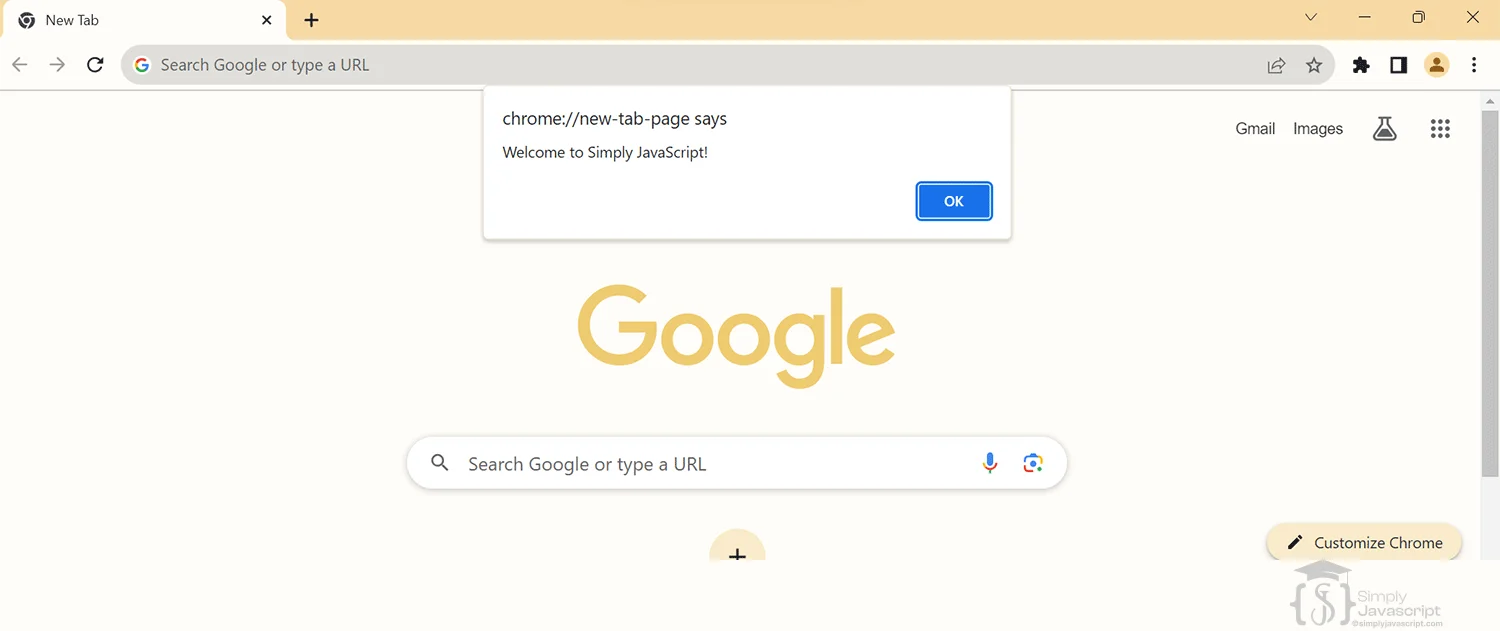
innerHTML lets you read or change the HTML content inside any element on your page. For example, you can grab a <div> and replace its content with new text, images, or HTML.
It's very useful for updating what the user sees without reloading the page. Just be careful: setting innerHTML replaces everything inside that element.
Note: We'll cover innerHTML in detail in the DOM tutorial. For now, just know it's one way to display output on the page.
<div id='test'></div>document.getElementById('test').innerHTML = '<span>Hello World</span>'; | Topic | console.log() | document.write() | window.alert() | innerHTML |
|---|---|---|---|---|
| Function | Used for logging messages | Writes directly to document | Displays a popup dialog | Manipulates HTML content |
| Output | Outputs to the console | Outputs directly to the HTML | Displays as a popup alert | Dynamically updates HTML |
| Usage | Commonly for debugging | Used for quick HTML output | Alerts user with information | Widely used for dynamic content rendering in the DOM |
| Impact | Doesn't modify HTML content | Overwrites existing content | Interrupts user interaction | Allows dynamic content insertion safely |
- console.log(): Prints output to the browser console. Your go-to tool for debugging and checking values.
- document.write(): Writes directly on the page. Quick for testing, but dangerous after page load (it erases everything).
- window.alert(): Shows a pop-up message. Pauses all code until user clicks OK. Avoid in real applications.
- innerHTML: Reads or changes the HTML content inside an element. Great for updating the page dynamically.
What's next? Now that you can see your code's output, let's learn about comments in the next tutorial.
- What is the primary purpose of console.log() in JavaScript? How does it differ from other methods like console.error() or console.warn()?
- Can you describe situations where console.log() is particularly useful in debugging JavaScript code?
- Explain document.write() and potential drawbacks or limitations when using this method?
- When might you choose to use document.write() over other DOM manipulation methods like innerHTML or appendChild()?
- Explain window.alert(). How does it interact with user interaction and why might it be used sparingly?
- What are the advantages and disadvantages of using window.alert() for displaying messages compared to other methods like modals or custom UI elements?
- Explain the purpose and functionality of the innerHTML property in JavaScript. What are some considerations or best practices when using it to manipulate the DOM?
- How does innerHTML differ from other DOM manipulation methods, such as createElement() and appendChild()? When would you prefer one over the other?


Output In Javascript