JavaScript Introduction
JavaScript is a programming language that makes websites interactive. It lets a website respond when you click a button, displays messages, and much more.
Let's learn JavaScript step by step.
JavaScript can make a website respond to your actions. For example, it can:
- React when you click a button.
- Change text, images, or styles on the page.
- Check a form before it is submitted.
- Show or hide helpful content.
- Fetch new data and update the page without a full reload.
You will find these features on many websites, from simple menus to online games.
Try this example. Click the Edit & Preview button, then click the button in the preview to see the message change.
<button onclick="changeMessage()">Click me</button>
<p id="message">Hello!</p>

<script>
function changeMessage() {
  document.getElementById("message").textContent =
    "You just used JavaScript!";
}
</script>
When you click the button, JavaScript runs a function that changes the message from "Hello!" to "You just used JavaScript!". You will learn how this works in the upcoming lessons.
You don't need any programming experience to learn JavaScript. We'll start with the basics.
First, let's look at a few basic things that will help you understand JavaScript.

A programming language is used to give instructions to a computer. You write the instructions as code, and the computer follows them.
Think of it like giving directions to someone. You tell the computer what to do by writing instructions in a language it can understand.
Programming languages are often grouped into two types: high-level and low-level languages.
- High-Level Languages High-level languages, which provide more abstractions for people writing programs
- Low-Level Languages Low-level languages, which are closer to machine instructions and hardware
JavaScript is a high-level language, which means its code is easier for people to read and write than machine instructions.
High-level languages let you write code without worrying about most of the computer's hardware details.
The language's runtime or compiler handles the lower-level work needed to run your code.
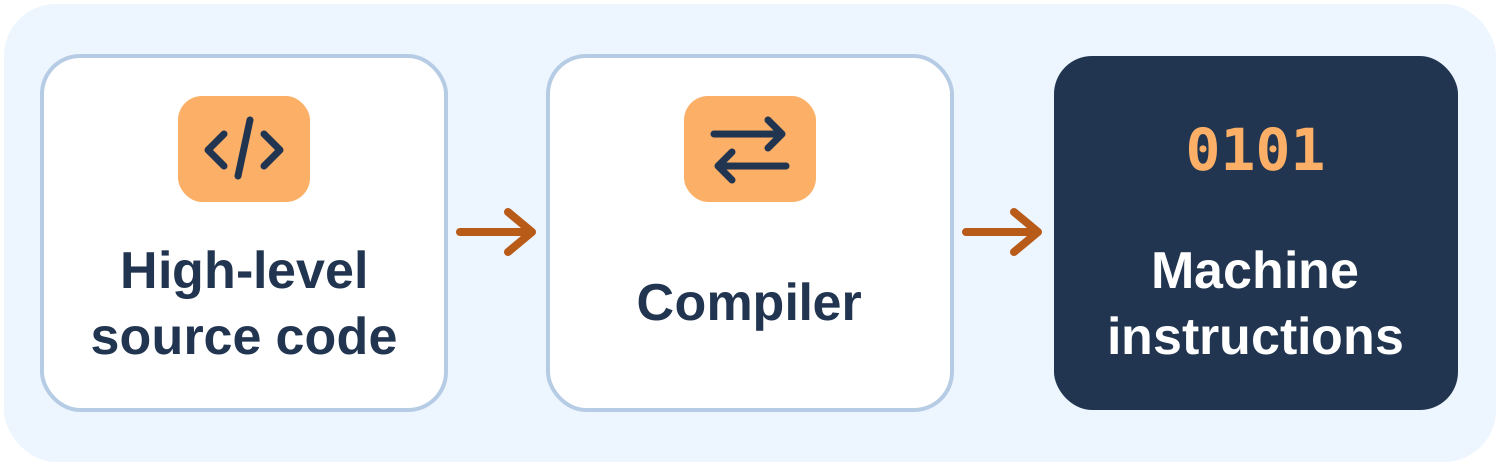
When you write JavaScript, you work with readable code. The JavaScript engine takes care of running it.
Examples: JavaScript, Python, Java, C++.
Here's what JavaScript looks like. Notice how readable it is:
//Adding two numbers
let a = 20; // Assign 20 to a
let b = 40; // Assign 40 to b
let c = a + b; // Assign a + b to c
console.log("Total:", c); // Output: Total: 60Low-level languages are closer to the computer's hardware. They are usually harder to read and write but give programmers more control over how the computer works.
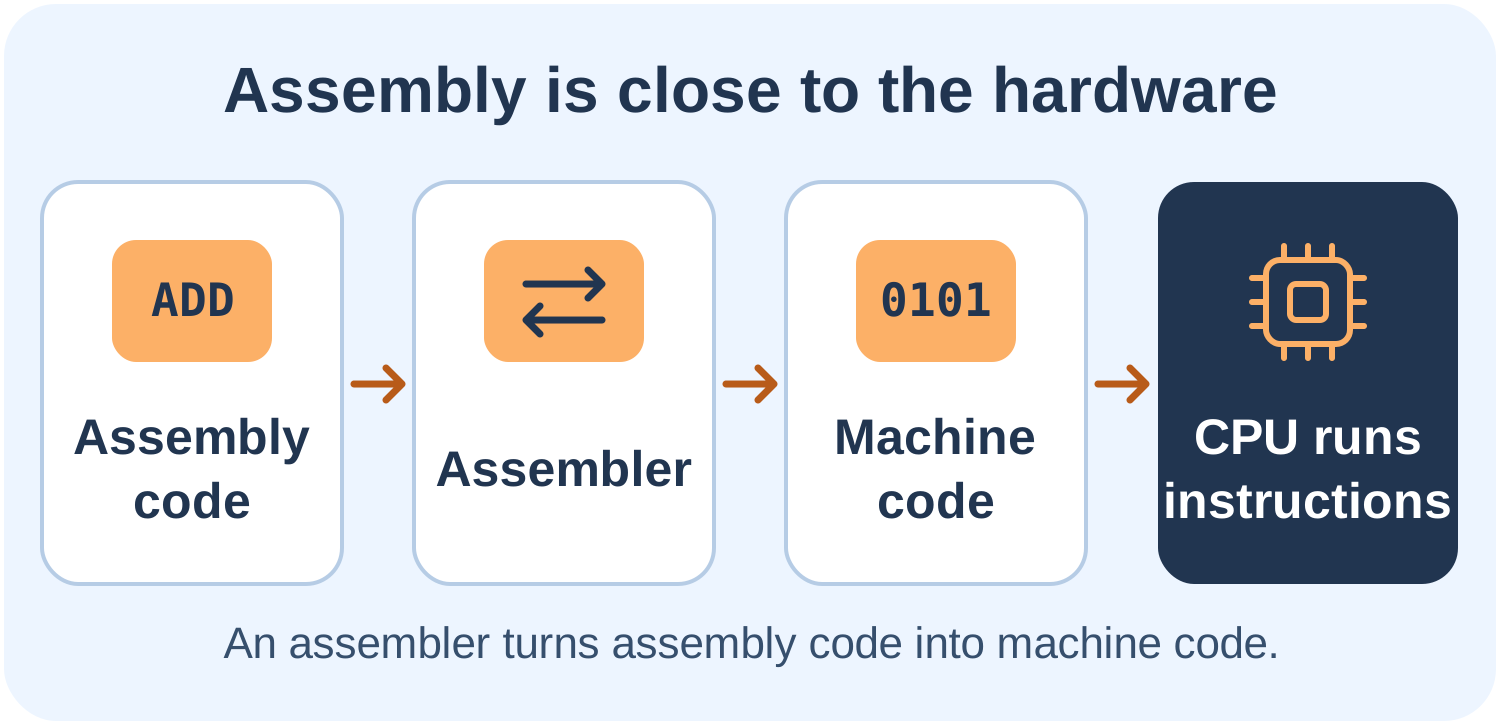
You don't need to learn low-level languages to start with JavaScript. Just remember that JavaScript is a high-level language, so you can focus on writing code instead of dealing with hardware details.
| Topic | High-level Language | Low-level Language |
|---|---|---|
| Syntax | Often more readable to people than machine instructions. | Uses instructions closer to the hardware; syntax can be harder to read. |
| Abstraction | Hides many hardware details, though some languages expose lower-level controls. | Offers more direct hardware control and fewer abstractions. |
| Portability | Can run on different systems when the required runtime is available. | May depend on a specific processor or system. |
| Development | Often lets you build features with less low-level code. | Often requires more machine-specific detail. |
| Debugging | Often provides higher-level error messages and debugging tools. | May require interpreting lower-level errors or inspecting machine state. |
Frontend (SimplyJavaScript)
The frontend is the part of a website or app that you see and use. It includes things like text, buttons, images, menus, and other elements you interact with.
Three common technologies used to build the frontend are HTML, CSS, and JavaScript. HTML adds content, CSS makes it look good, and JavaScript makes it interactive.
In this tutorial, we'll focus on using JavaScript in the browser. You can also use JavaScript on servers with Node.js.
Here's a simple HTML page. This is what frontend code looks like at its most basic:
<!DOCTYPE html>
<html>
<head>
  <title>Simply JavaScript</title>
</head>
<body>
  <h1>Welcome To Simply JavaScript!</h1>
</body>
</html> The backend is the part of an app that works behind the scenes. It handles requests, works with data, and communicates with other services.
For example, when you log in to a website, the backend checks your login details. It can also fetch information or save your orders.
JavaScript can also be used on the backend with Node.js. We'll focus on browser JavaScript in this tutorial.
| Topic | Frontend | Backend |
|---|---|---|
| Focus | The browser-based interface, including what users see and interact with. | Server-side services that process requests and manage data. |
| Technologies | HTML, CSS, and JavaScript are common frontend technologies. | Languages such as JavaScript (often with Node.js), Python, and Java. |
| Responsiveness | Can adapt the interface to different screen sizes and input methods. | Aims to process requests and data reliably and securely. |
| Interaction | Handles browser events and updates the interface. | Processes requests and may communicate with databases or other services. |
| Performance | Affects loading and interaction speed in the browser. | Affects request-processing time and server resource use. |
| Visibility | Runs in the browser; its delivered code can generally be inspected by users. | Runs on the server; its implementation is generally not sent to users. |
HTML stands for HyperText Markup Language. It defines the content and structure of a website.
For example, headings, paragraphs, images, and buttons are all created using HTML.
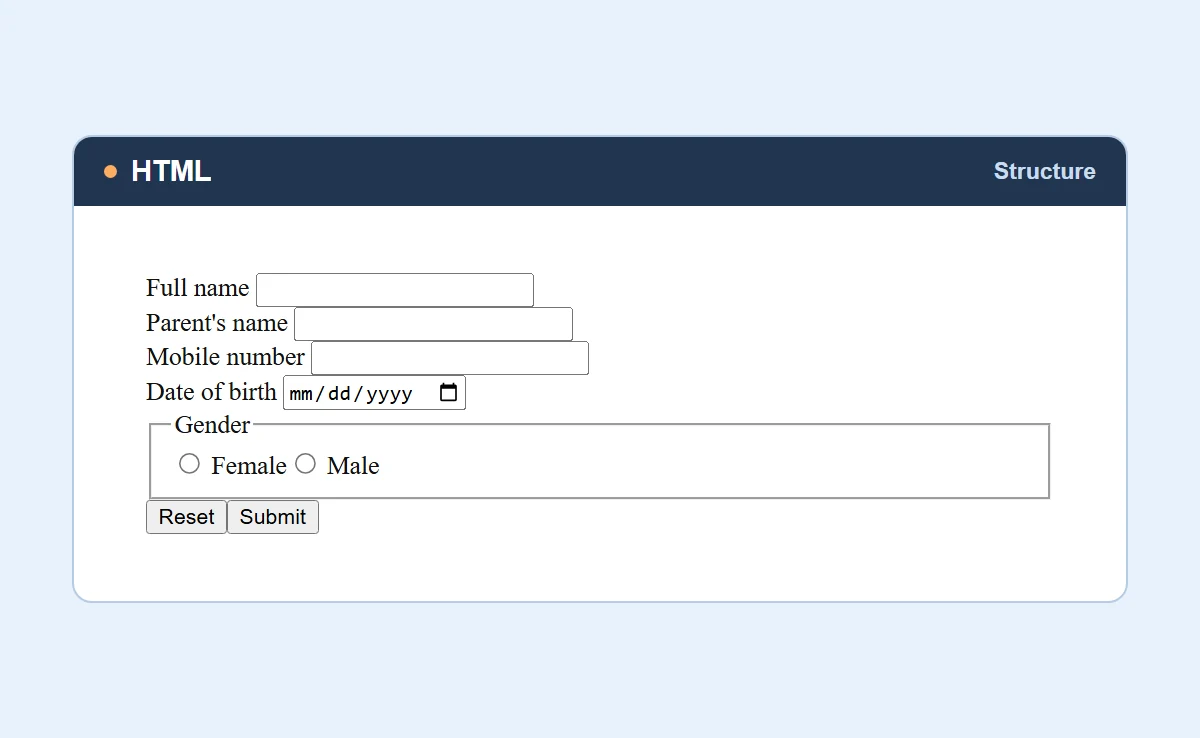
This is a simple form created using HTML. It contains text fields and a submit button.
CSS stands for Cascading Style Sheets. It controls how a website looks, including colors, fonts, spacing, and layout.
With CSS, you can change the appearance of a website without changing its HTML structure.
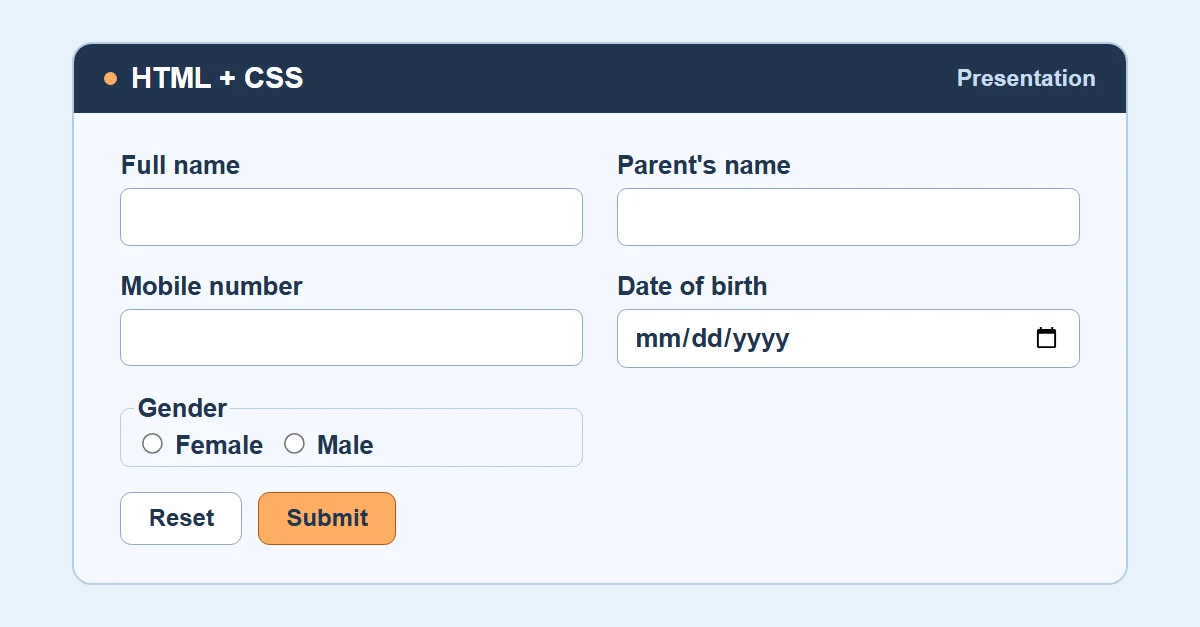
Here is the same form with CSS applied. Notice how CSS changes its appearance.
JavaScript is used to make websites interactive. It can respond to user actions and change content on the page.
For example, you can use JavaScript to display a message when someone clicks a button.
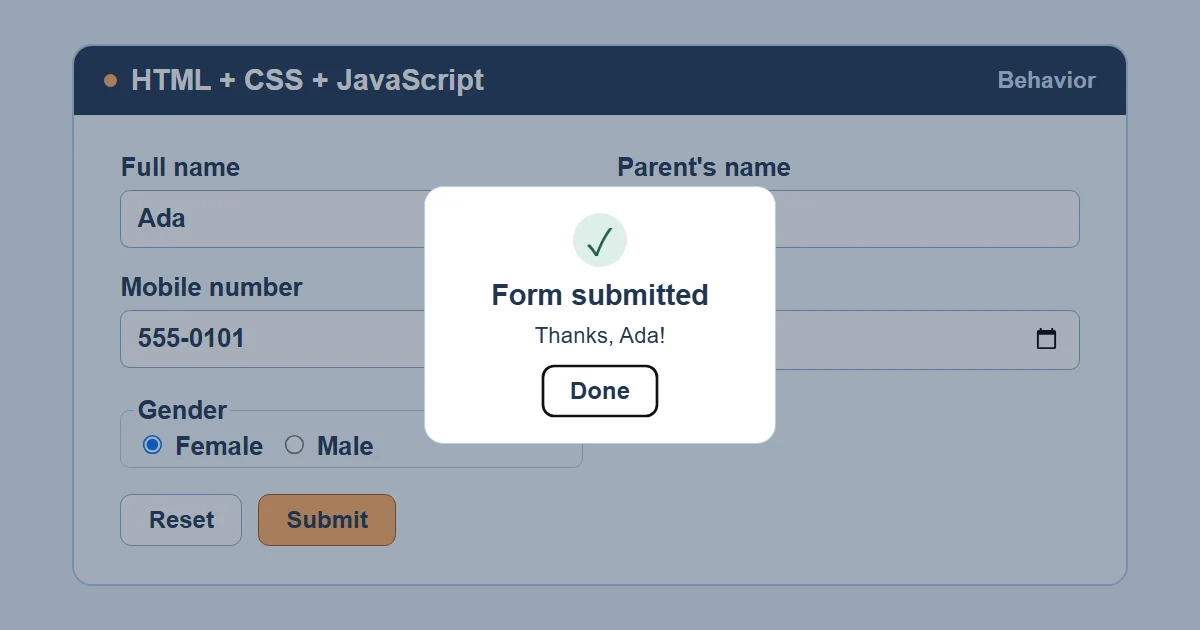
Here, JavaScript makes the form respond to user actions.
HTML, CSS, and JavaScript often work together to build websites. Each one has a different job:
- HTML = What's on the page (text, images, buttons)
- CSS = How it looks (colors, fonts, layout)
- JavaScript = How it behaves (clicks, animations, form checks)
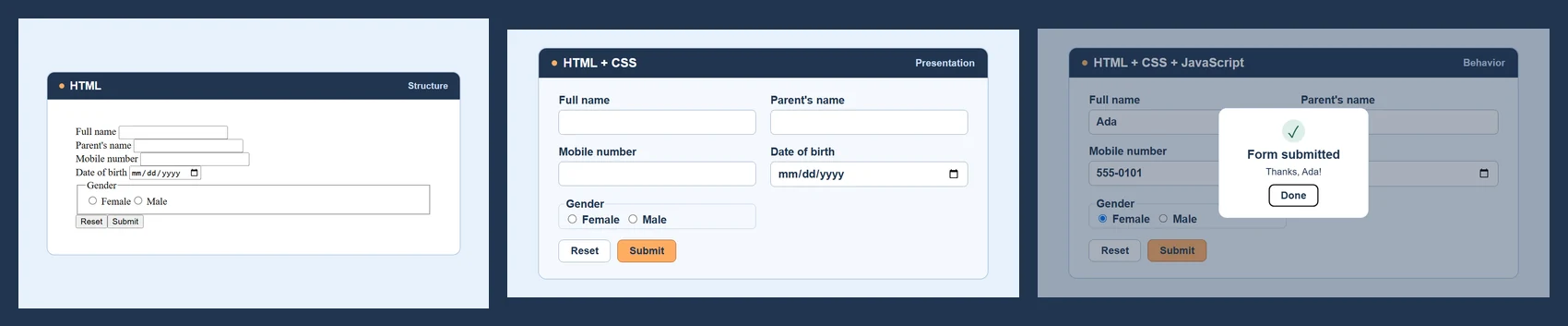
This image shows how HTML, CSS, and JavaScript work together.
JavaScript can do many things in your browser, but it also has some limits. These limits help keep your information and device safe.
JavaScript powers in the browser:
- Change text, images, and styles on a page
- Respond to clicks, typing, scrolling, and other user actions
- Fetch data from a server without reloading the page
- Create animations and visual effects
- Validate form inputs before submitting
- Store small amounts of data locally in the browser
Things JavaScript cannot do freely in the browser:
- Read or write arbitrary local files without user-granted access
- Access your camera or microphone without your permission
- Read responses from other origins only when browser security rules permit it; the responding site can grant access through Cross-Origin Resource Sharing (CORS).
- Directly control hardware like printers or USB devices without browser support and permission
Remember, JavaScript can also run outside the browser using Node.js. It can do things like read files on a computer when allowed by the environment. We'll focus on browser JavaScript in this tutorial.
Here are some of the topics you'll learn as you continue:
- JavaScript basics and variables
- Data types and operators
- Conditions and loops
- Functions
- Arrays, objects, and strings
- The DOM and events
- Promises, async JavaScript, and APIs with Fetch
- Projects and hands-on exercises
By the end, you'll know how to use JavaScript to build interactive websites.
Here are the main points from this page:
- JavaScript JavaScript can add custom interactivity to web pages.
- A programming language is how you give instructions to a computer.
- High-level languages High-level languages abstract away more machine details; low-level languages are closer to hardware.
- Frontend Frontend = the browser-based interface. Backend = server-side services that process requests or manage data.
- HTML = structure, CSS = design, JavaScript = behavior. They work as a team.
- In the browser, JavaScript can change content, respond to clicks, fetch data, and create animations.
- Browser JavaScript cannot freely access local files or hardware; sensitive capabilities require supported APIs and, often, user permission.
Next, let's learn about the history of JavaScript and how it has changed over the years.
- What is a programming language?
- What is front-end?
- What is back-end?
- What is HTML?
- What is CSS?
- What is JavaScript?
- Differentiate between JavaScript and Java?
- Tell us about role of HTML, CSS, and JavaScript in Web development?
- What distinguishes a high-level programming language from a low-level programming language?
- Explain where low-level programming languages are preferred despite their complexity compared to high-level languages.
- Differentiate between frontend and backend development.
- What are the capabilities and limitations of JavaScript?

JavaScript Introduction