JavaScript Control Flow
Conditional statements let your code make decisions. They check a condition and run different code depending on whether it's true or false. Think of them as traffic signals for your program. Let's see how they work:
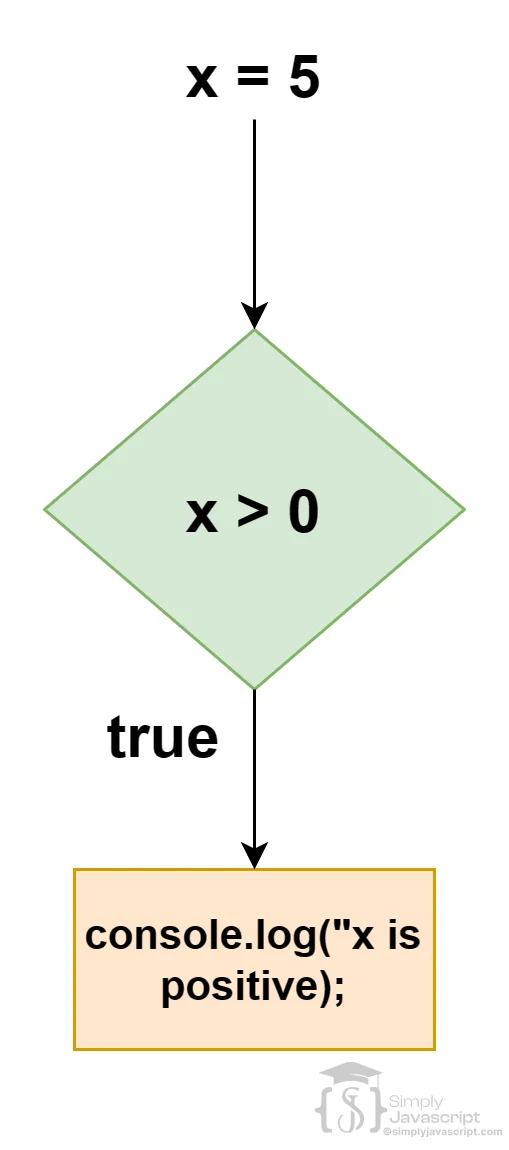
let x = 5;
if (x > 0) {
  console.log("x is positive");
}
Here, the if statement checks if x is greater than 0. If true, the code inside the curly braces runs. If x isn't greater than 0, the code is skipped. You can also pair it with an else statement for an alternative action:
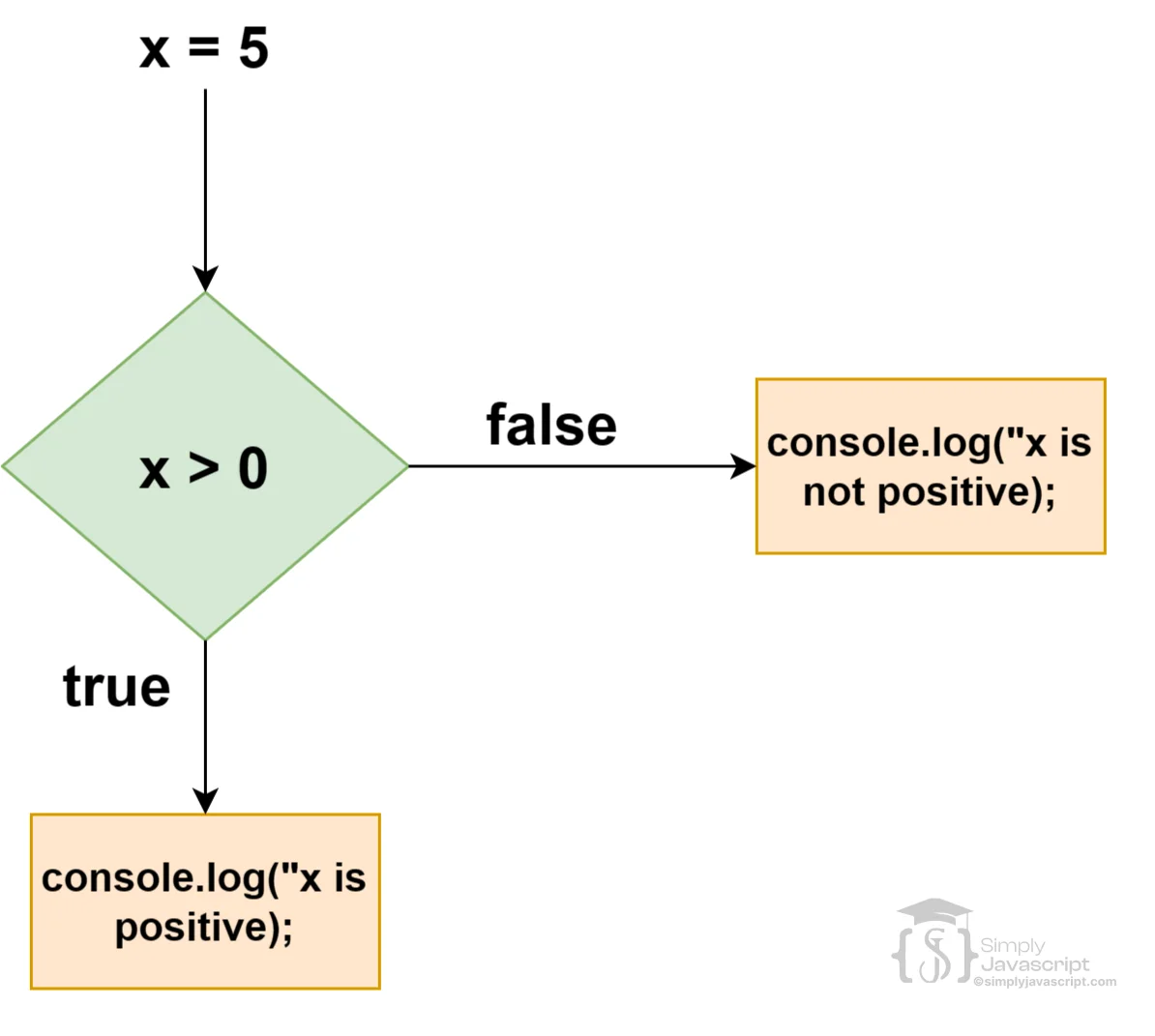
let x = 5;
if (x > 0) {
  console.log("x is positive");
} else {
  console.log("x is not positive");
}
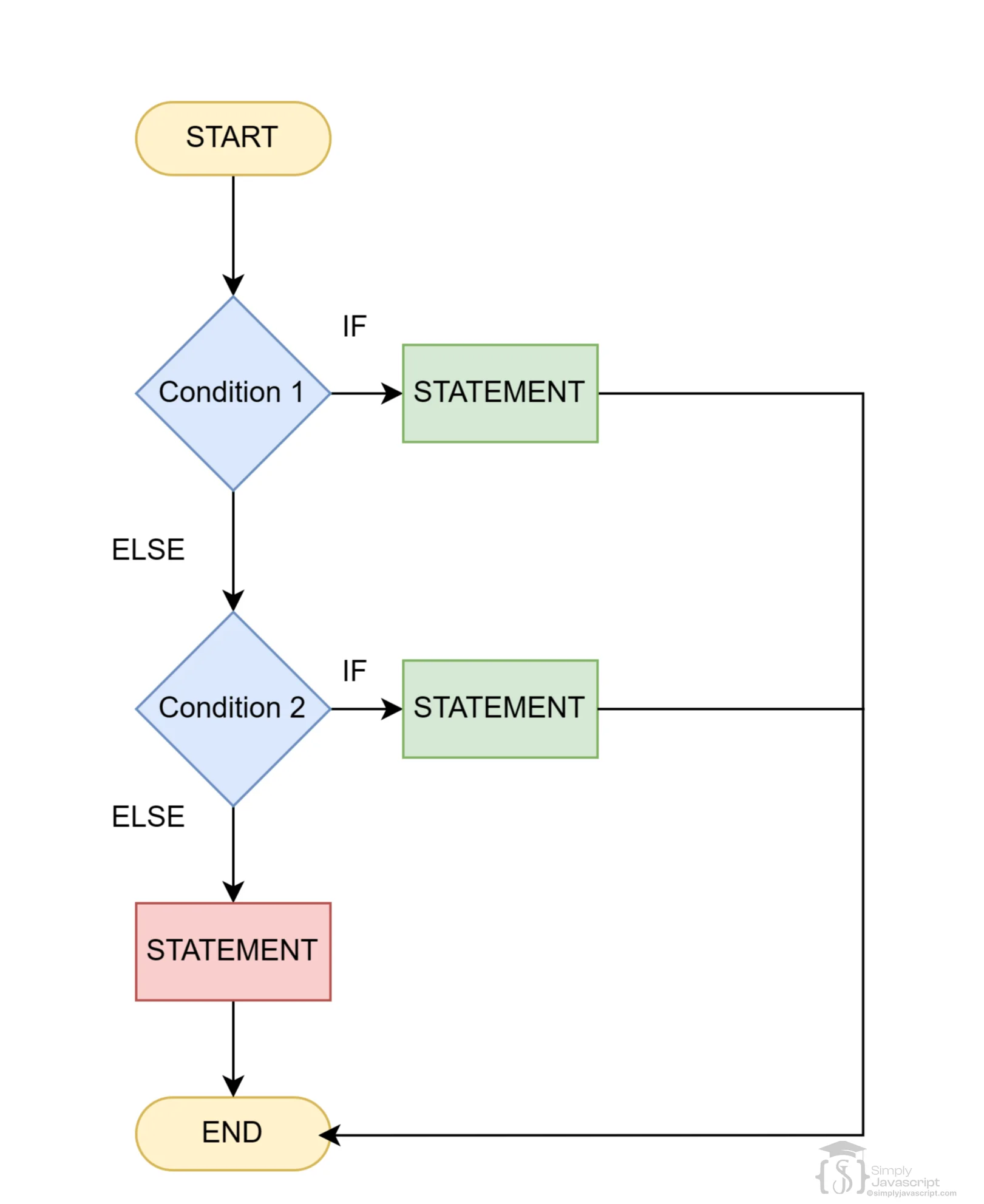
In this setup, if x is greater than 0, the first message logs. If not, the second message does. Now, things get more interesting with else if. It's like having a bunch of options:
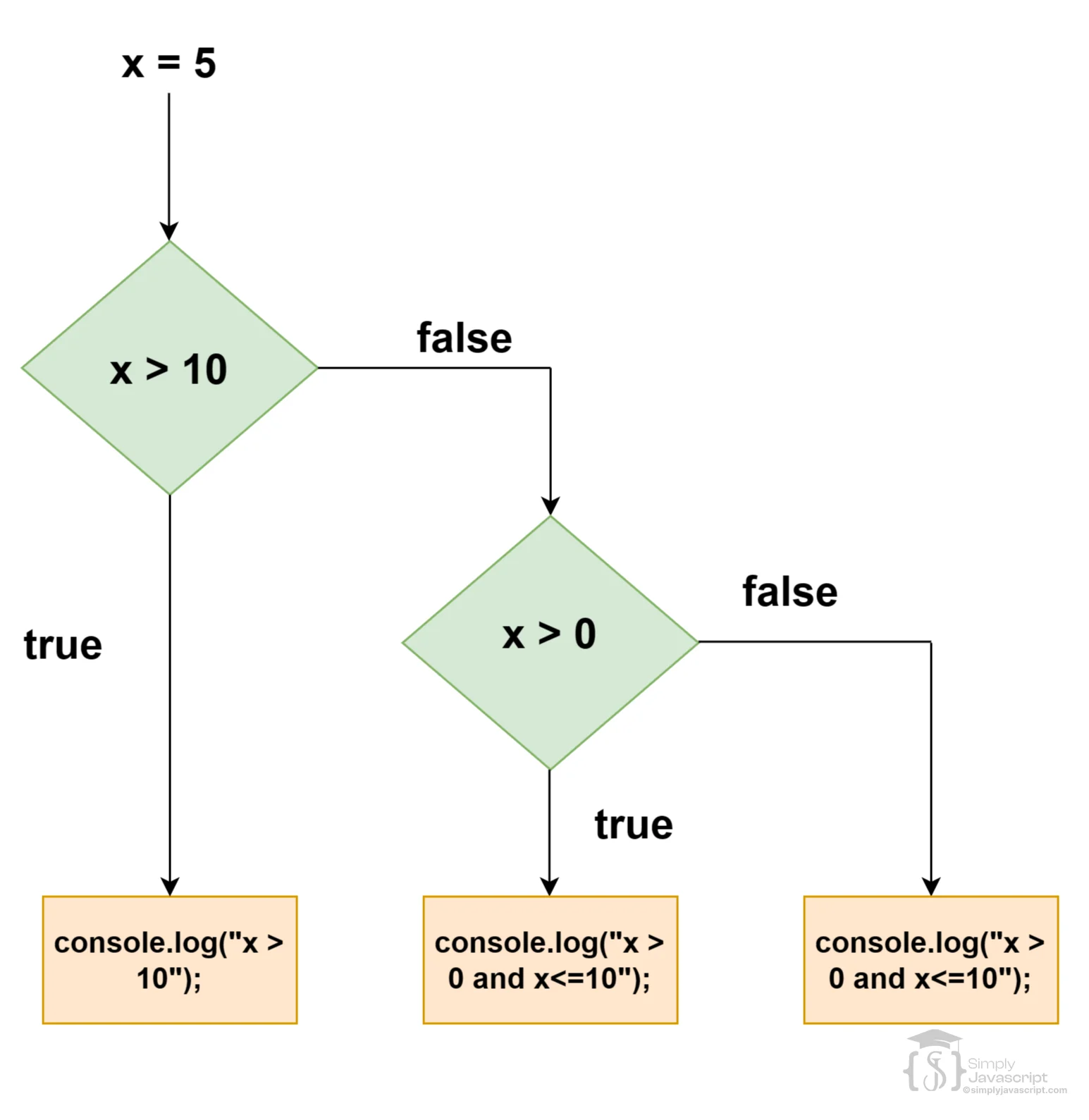
let x = 5;
if (x > 10) {
  console.log("x is greater than 10");
} else if (x > 0) {
  console.log("x is greater than 0 but less than or equal to 10");
} else {
  console.log("x is less than or equal to 0");
} One important rule: else and else if can never stand on their own. They must always come right after an if. Without that starting if, JavaScript won't know what condition they're responding to and will throw an error.
//For instance, this structure won't work because the else if is not preceded by an if statement:
else if (condition) {
  // code block
}

//Similarly, standalone else statements without an if won't function either:

else {
  // code block
} 
Sometimes one condition isn't enough. You can combine multiple conditions using && (AND) and || (OR). With &&, both conditions must be true. For example:
let x = 5;
if (x > 0 && x < 10) {
  console.log('x is between 0 and 10');
}
The || operator (logical OR) returns true if at least one of the conditions is true. If both conditions are false, the expression will evaluate to false. For example:
let x = 30;
if (x < 0 || x > 10) {
  console.log('x is not between 0 and 10');
}
These operators are "short-circuit" operators. That means JavaScript stops checking as soon as it knows the result. With &&, if the first condition is false, it skips the second one entirely because the answer is already false.
Sometimes you need to check a condition inside another condition. That's called nesting. It lets you break down complex logic into smaller, step-by-step checks. Here's an example:
if (x > 0) {
  if (x < 10) {
    console.log('x is between 0 and 10');
  } else {
    console.log('x is greater than or equal to 10');
  }
} else {
  console.log('x is less than or equal to 0');
}
First we check if x is greater than 0. If it is, we go inside and check whether it's also less than 10. If both pass, we get "x is between 0 and 10". If the inner check fails, the inner else catches it. And if x isn't greater than 0 at all, we jump straight to the outer else.
- What is control structure in programming?
- What is conditional statement in programming?
- Explain the purpose and syntax of the if statement in JavaScript. How is it used to execute code conditionally based on a specified condition?
- Describe the role of the else statement in JavaScript. When is it used, and what happens when the condition in the if statement evaluates to false?
- Explain the else if statement in JavaScript. How does it differ from if and else statements, and when might you use it in your code?
- Explain how you can group multiple conditions using logical operators (AND, OR) within an if statement in JavaScript. Provide examples of using logical operators to combine conditions.
- Describe the concept of nested if-else statements in JavaScript. When is nesting used, and can you provide an example demonstrating nested conditional logic?
- Compare and contrast the if, else if, else statements, and nested if-else structures in terms of their usage and scenarios where each is most appropriate.


Conditional Statements In Javascript